

Free on Android · iPhone coming soon

Never throw food away again.

Pantrinho shows your whole household what to use first, and reminds you before it's too late.

Free to start. No account needed.

A couple putting groceries away in their kitchen
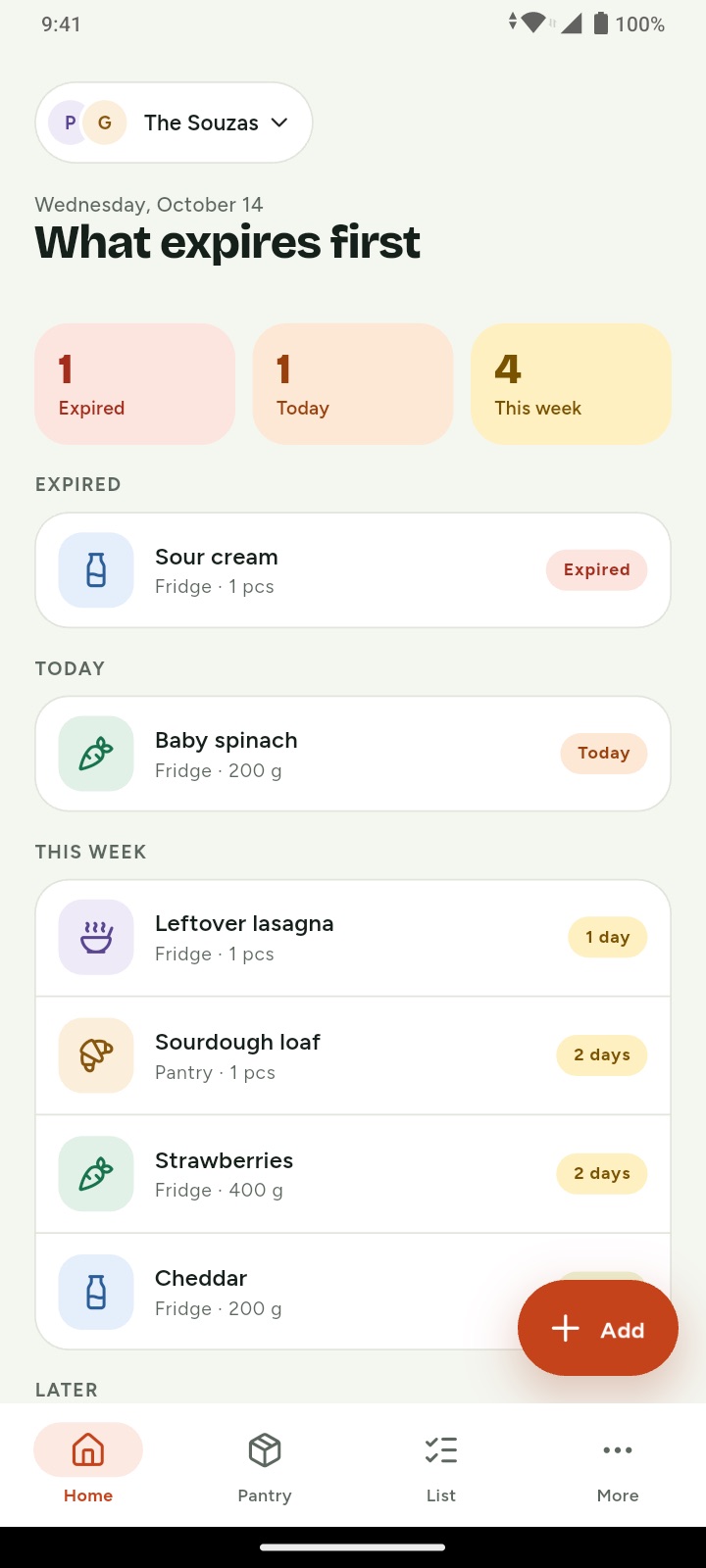
Pantrinho's Home: what expires first, with expired, today and this week counts
How it works

Three habits that save food (and money)

No spreadsheets, no guilt. Just enough to know what to use before it goes bad.

Scanning a barcode while unpacking groceries
01

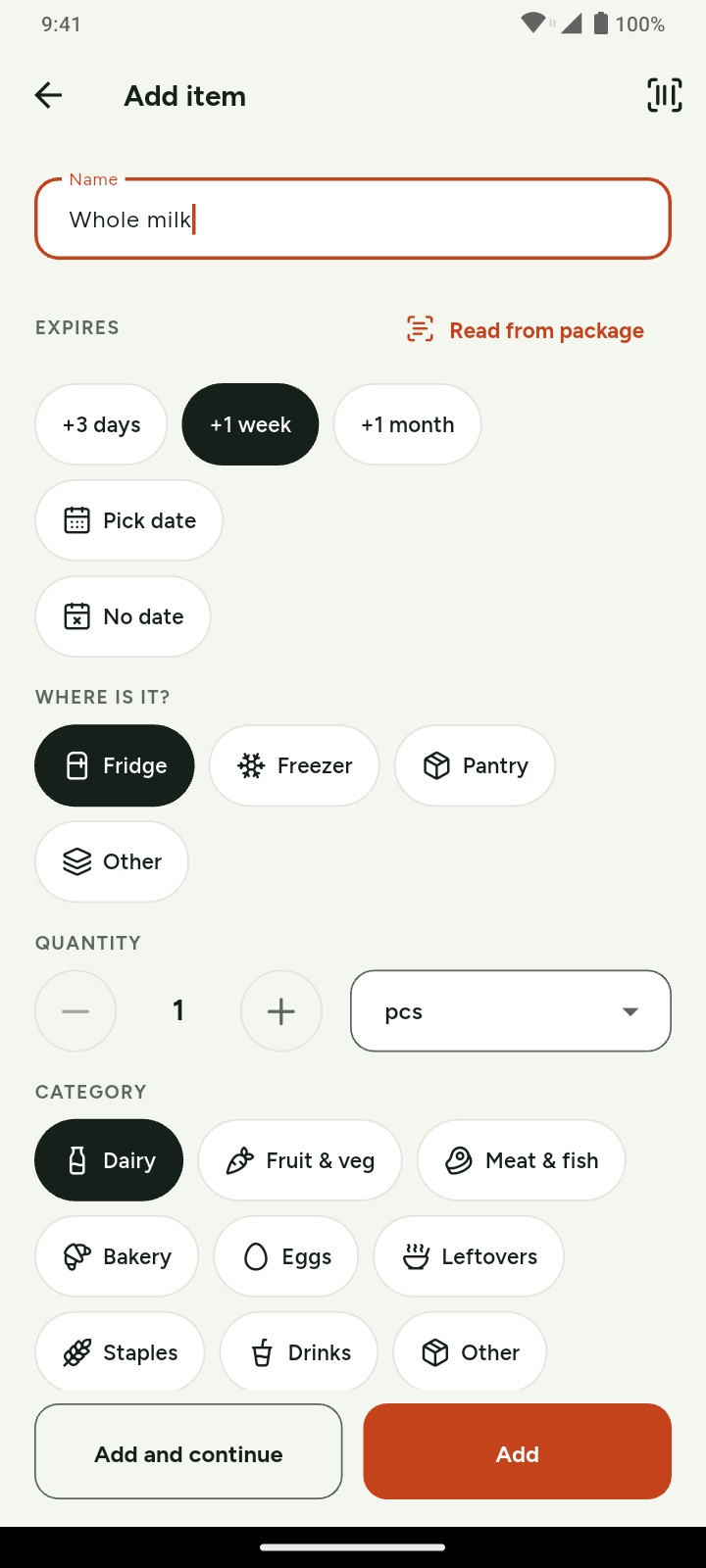
Add it as you unpack

Point the camera at the barcode and Pantrinho fills in the name and photo. Pick the date with one tap and it's done.

  • Barcode or just type it
  • Works offline
  • Pro reads the date for you
Checking the morning reminder over coffee
02

Get one reminder a day

One short summary of what expires soon, at the time you choose. Nothing about to expire? No notification.

  • Never more than one a day
  • For everyone at home
  • Pick the hour and how early (Pro)
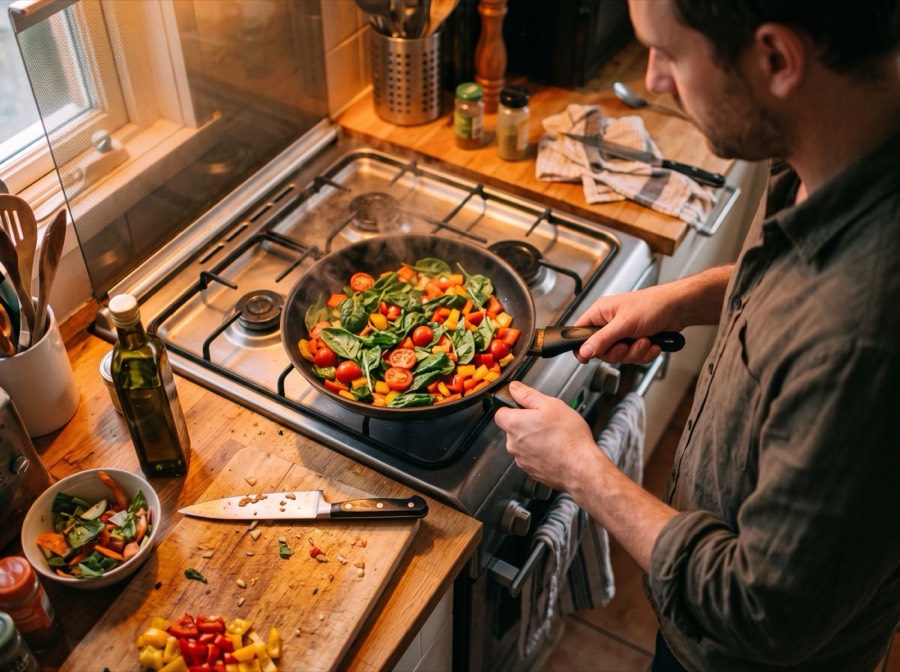
Cooking with vegetables before they go bad
03

Use it first

Cook what expires first, mark it used in a tap and watch the money you stop throwing away add up.

  • Used or thrown away, in one tap
  • Monthly waste report
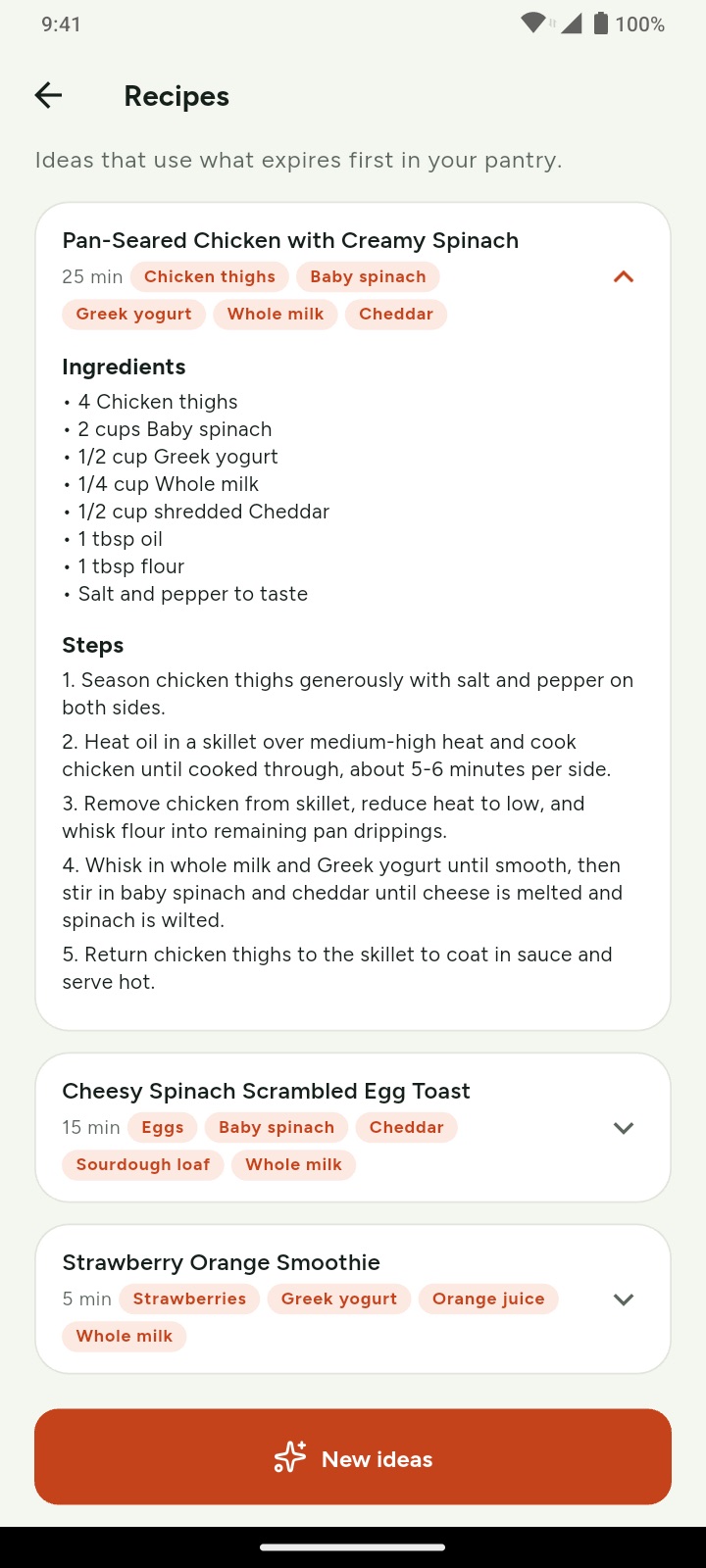
  • Recipe ideas from what expires (Pro)
Features

Everything at home, in one place

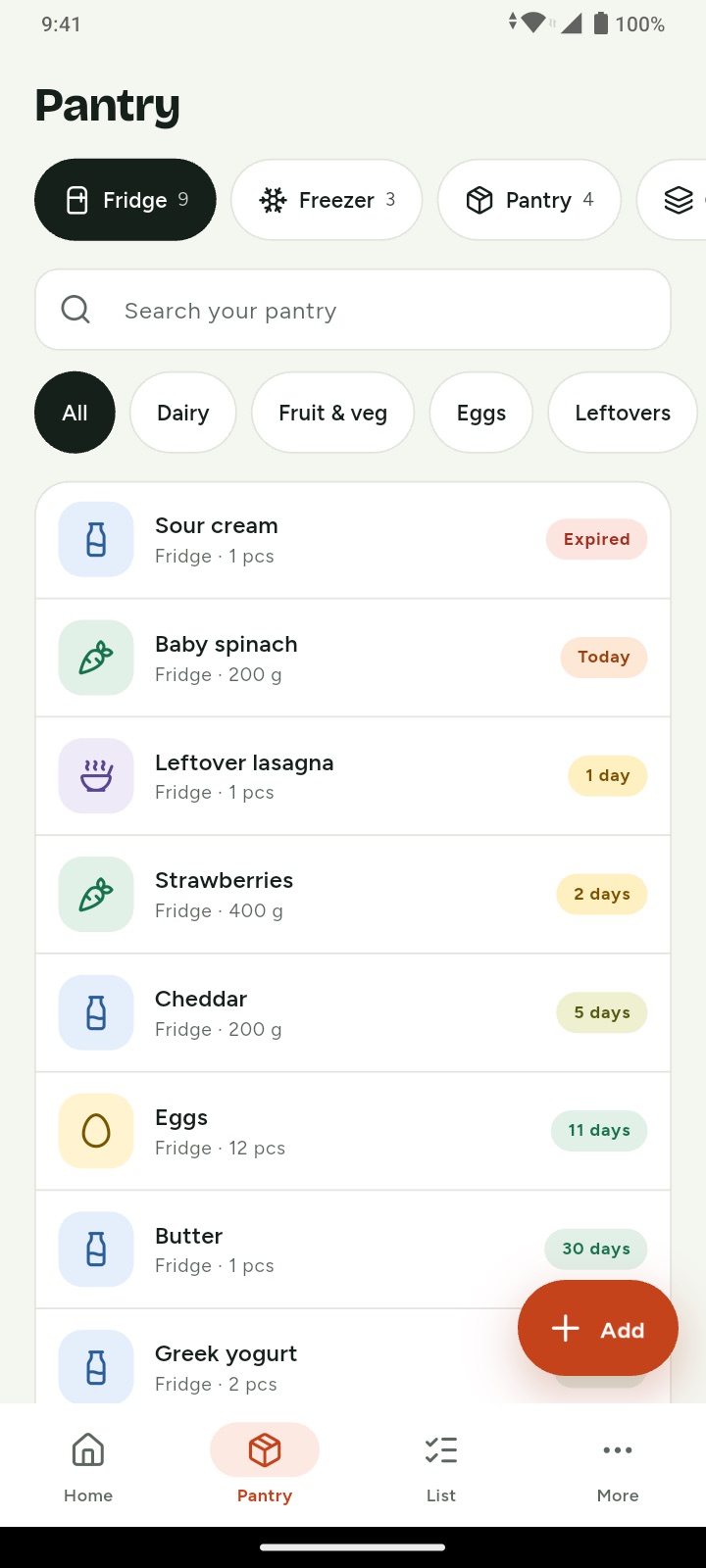
What expires first

Today, this week and later, with clear labels that never rely on color alone.

Barcode scanner

Name and photo filled in for you from Open Food Facts, a huge open food database.

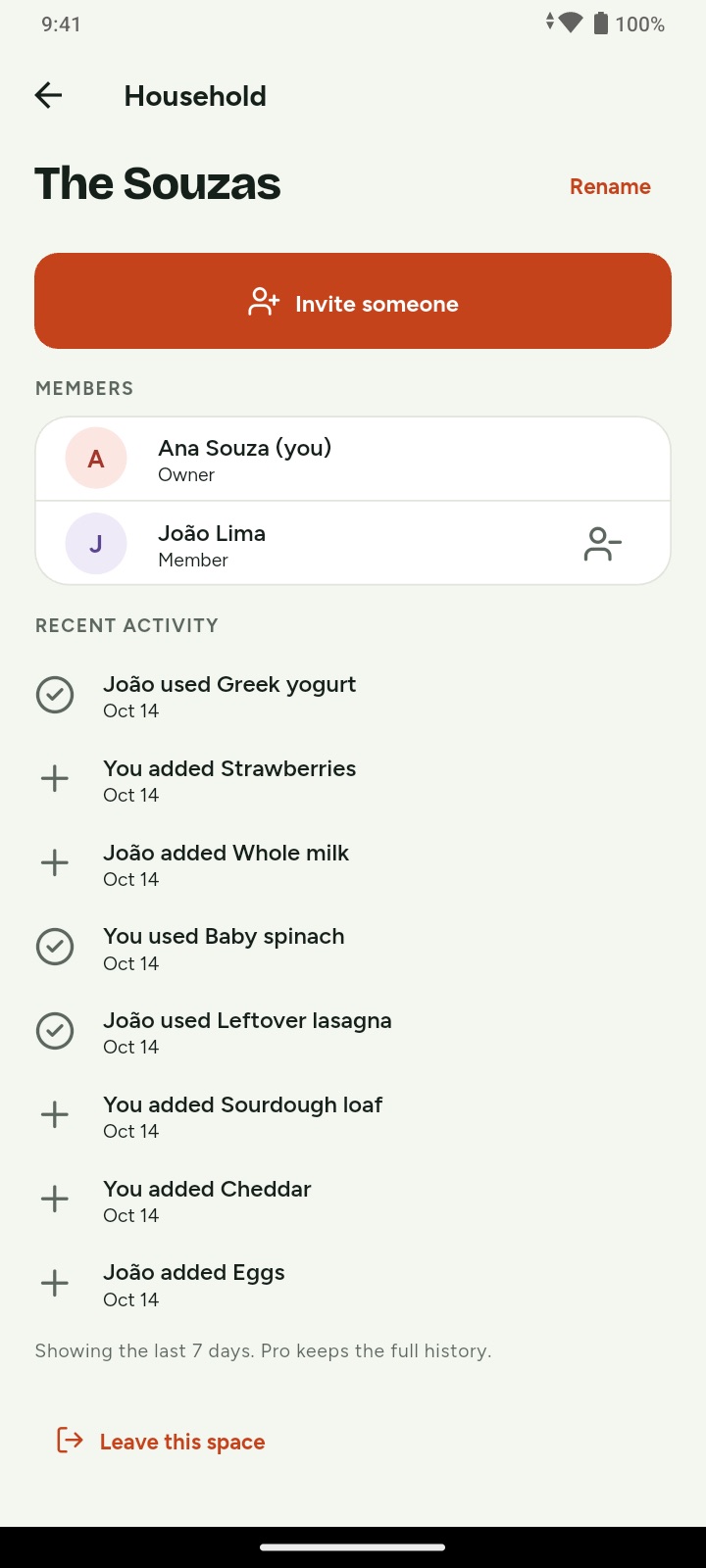
Shared in real time

Invite your partner, family or roommates with a link. Everyone sees the same pantry.

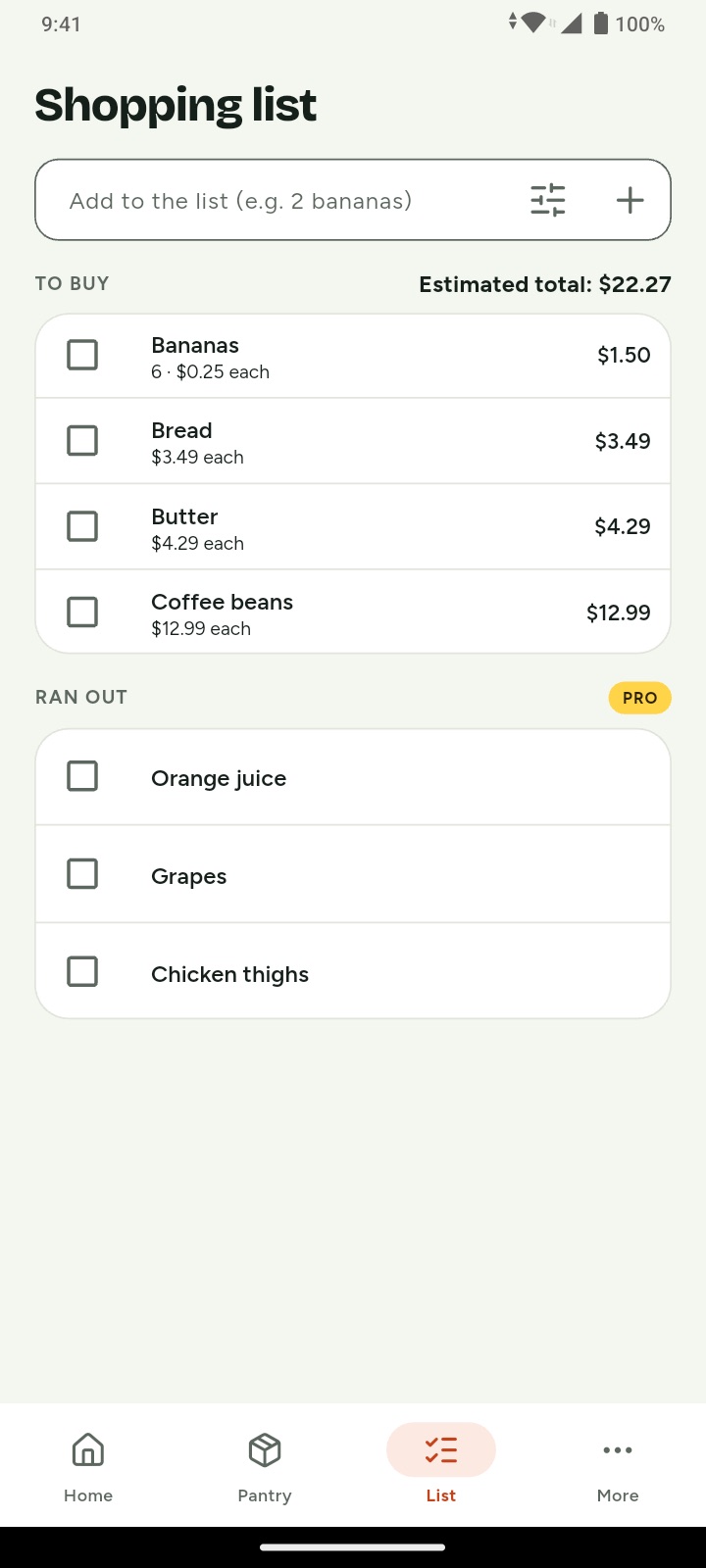
Shopping list

One list for the whole house. Check it off and add it to the pantry in one tap.

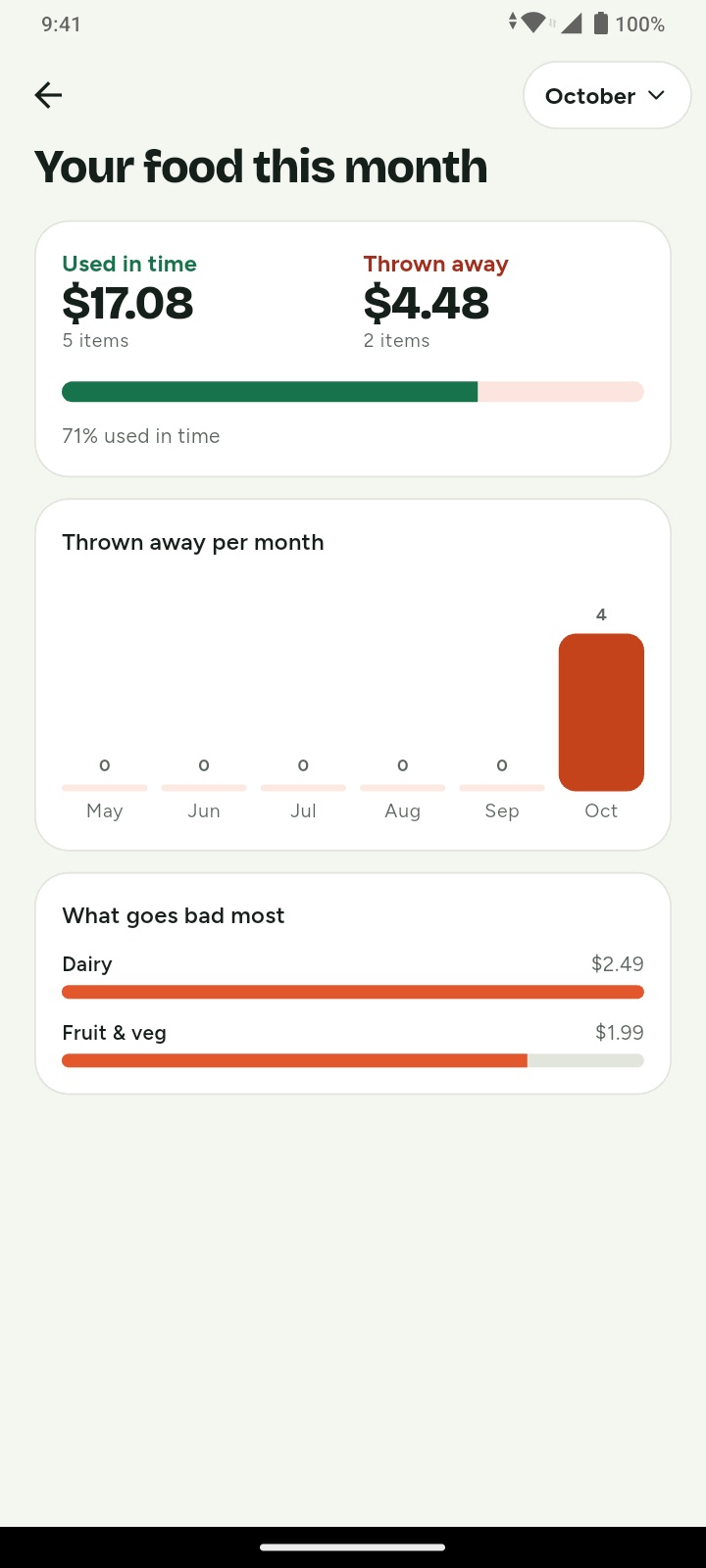
Waste report

See what you used in time and what you threw away, in items and money.

Recipes from what expires

Three ideas made from what's about to go bad. Dinner, sorted. Pro

New · Pro

Tell it what you need. Get the list.

Describe a meal, a party or your week. Pantrinho drafts the shopping list with amounts, and leaves out what's already at home.

  • Knows your pantry and your list, so nothing is bought twice
  • Amounts sized for your household, like 3 kg or 4 L
  • Adjust it by chatting, then add it in one tap
Build your list

Barbecue for 10 people on Saturday

Here's a draft. I left out the charcoal, you already have it. Any drinks?

Soda, no beer

Draft4 items
Picanha3 kg
Sausages1.5 kg
Garlic bread2 pk
Soda4 L
Add 4 items
Inside the app

See it for yourself

01

Add in seconds

Scan the barcode, tap a date and it's in. Name and photo come from Open Food Facts.

02

Fridge, freezer, pantry

Everything at home, with its date. Search it, filter it, and see what goes first.

03

One shopping list

For the whole house, with quantities, prices and an estimated total.

04

Waste report

What you used in time versus what you threw away, in items and money.

05

Recipes

Ideas made from what expires first. Dinner, sorted.

06

Shared with family

Invite your people with a link. Everyone sees the same pantry, in real time.

For the whole household

One pantry. Everyone on the same page.

No more buying a third jar of mustard or finding the yogurt a week too late.

  • Join with a link or a 6-letter code
  • See who added, used or threw away each item, with a notification
  • Separate spaces for the beach house or your parents' place
A family looking at the shared pantry together
The Souzas
J João used Greek yogurt2 min ago
A Ana added Chicken breast to the freezer1 h ago
M Mia checked off Bananas on the listYesterday
Pricing

Free for most homes. Pro when you want more.

One Pro subscription covers everyone in the homes you own.

Free

$0

Forever

  • Up to 60 items
  • You + 1 person
  • Barcode scanner
  • Daily reminder (9 am, 3 days ahead)
  • Shared shopping list
  • Monthly waste total
  • Home-screen widget
7 days free

Pro

$19.99 / year

or $2.99 / month

  • Unlimited items
  • Up to 10 people and 5 spaces
  • Read expiry dates with your camera
  • Build your shopping list by chatting
  • Recipes from what expires soon
  • Full waste report and tips
  • Your reminder time, up to 7 days ahead
  • CSV export and extra colors

Prices in US dollars; Google Play shows the price in your currency. Cancel anytime in Google Play.

FAQ

Questions, answered

Do I need an account?

No. Open the app and start adding food. When you want a backup, or to invite someone, link your Google account or an email address and keep everything you added.

Does it work offline?

Yes. Add, edit and check off items without a connection; Pantrinho syncs with your household when you're back online.

Is my data private?

Your pantry is visible only to the people you invite. We don't sell data or show ads, and the photos you take to read a date never leave your phone. Read the privacy policy.

Is there an iPhone version?

Soon. Pantrinho is on Android today, and the iPhone version is on its way to the App Store.

How do I delete my account?

In the app, go to More › Account › Delete account. You can also ask us to delete it.

Your pantry, finally under control.

Download Pantrinho on Google Play. Free to start, no account needed. Coming soon to iPhone.

Get it onGoogle Play Coming soonApp Store
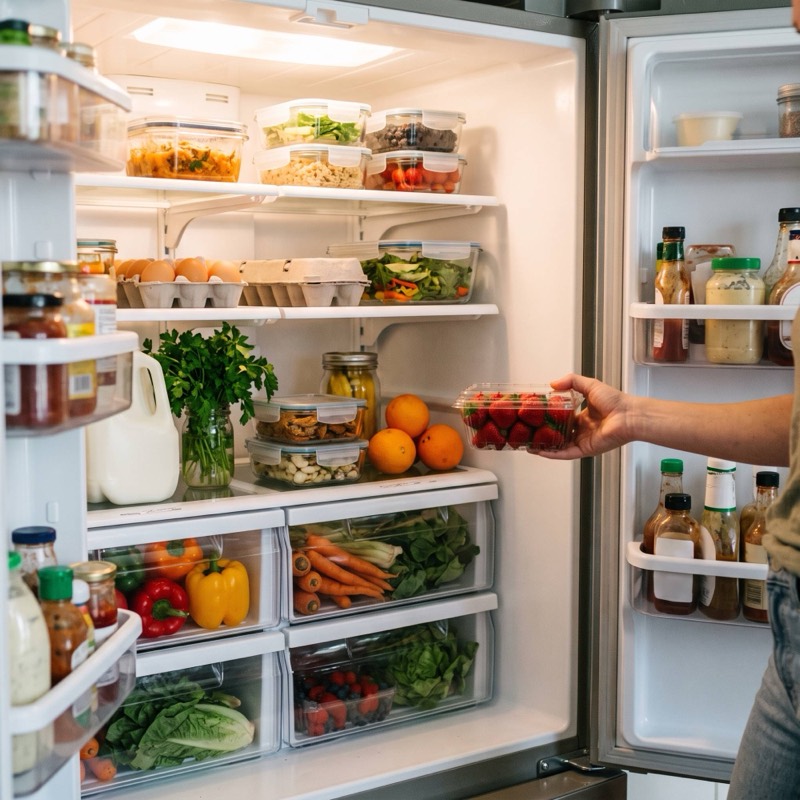
An organized fridge with fresh food